
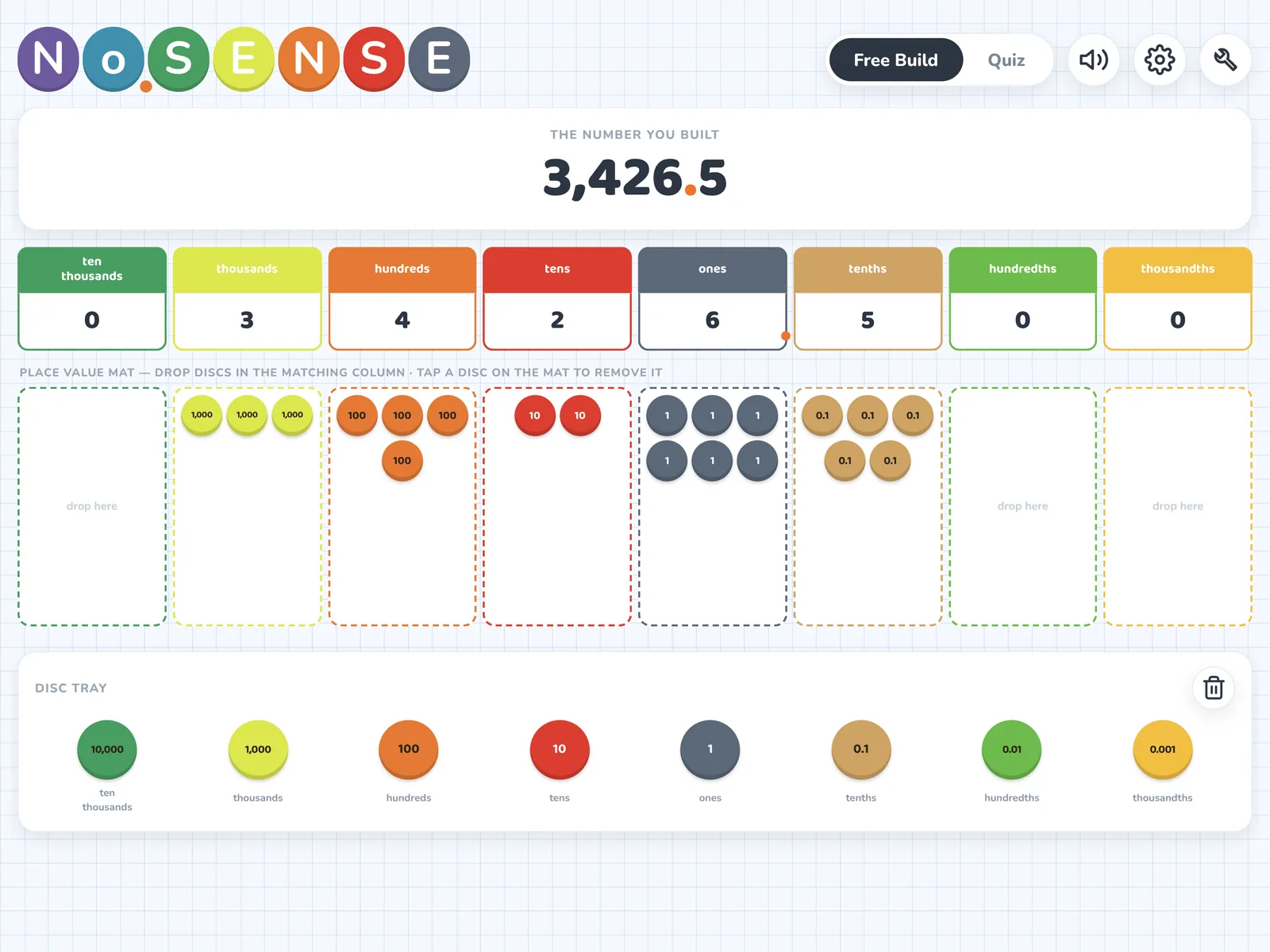
Build-a-Number
Drag discs onto a place-value mat, from ten thousands down to thousandths, and watch the number build. Free Build to explore, Quiz mode to check understanding.
Place-value discs you can move, trade, and explain. Model an idea on the big screen, then hand the iPad to a student to try it.
Made for iPad. Also runs on Macs with Apple silicon.
Drag discs onto a place-value mat, from ten thousands down to thousandths, and watch the number build. Free Build to explore, Quiz mode to check understanding.
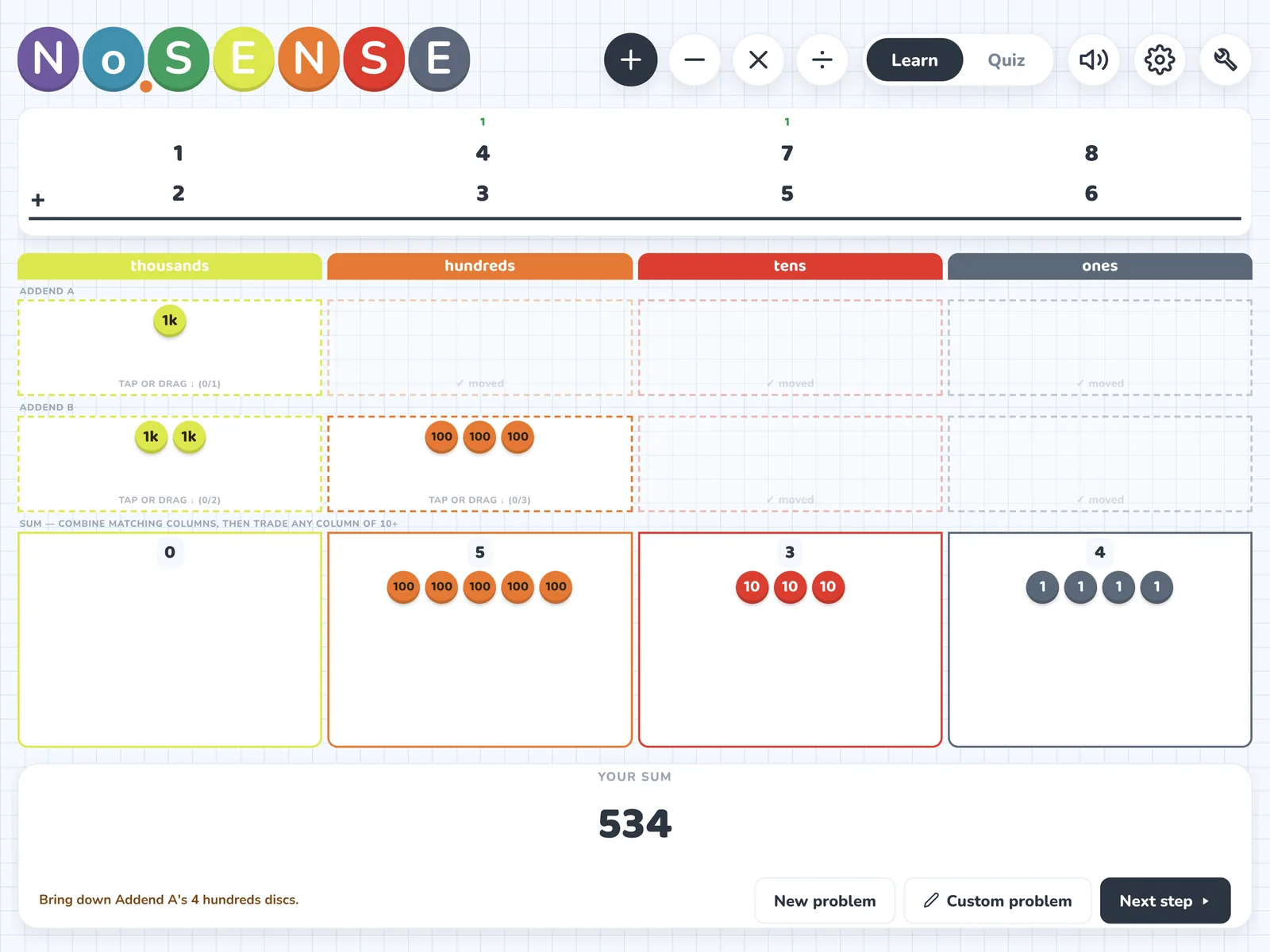
Addition, subtraction, multiplication, and division with discs. Step through every trade and regroup in Learn mode, then switch to Quiz mode and type the answer.
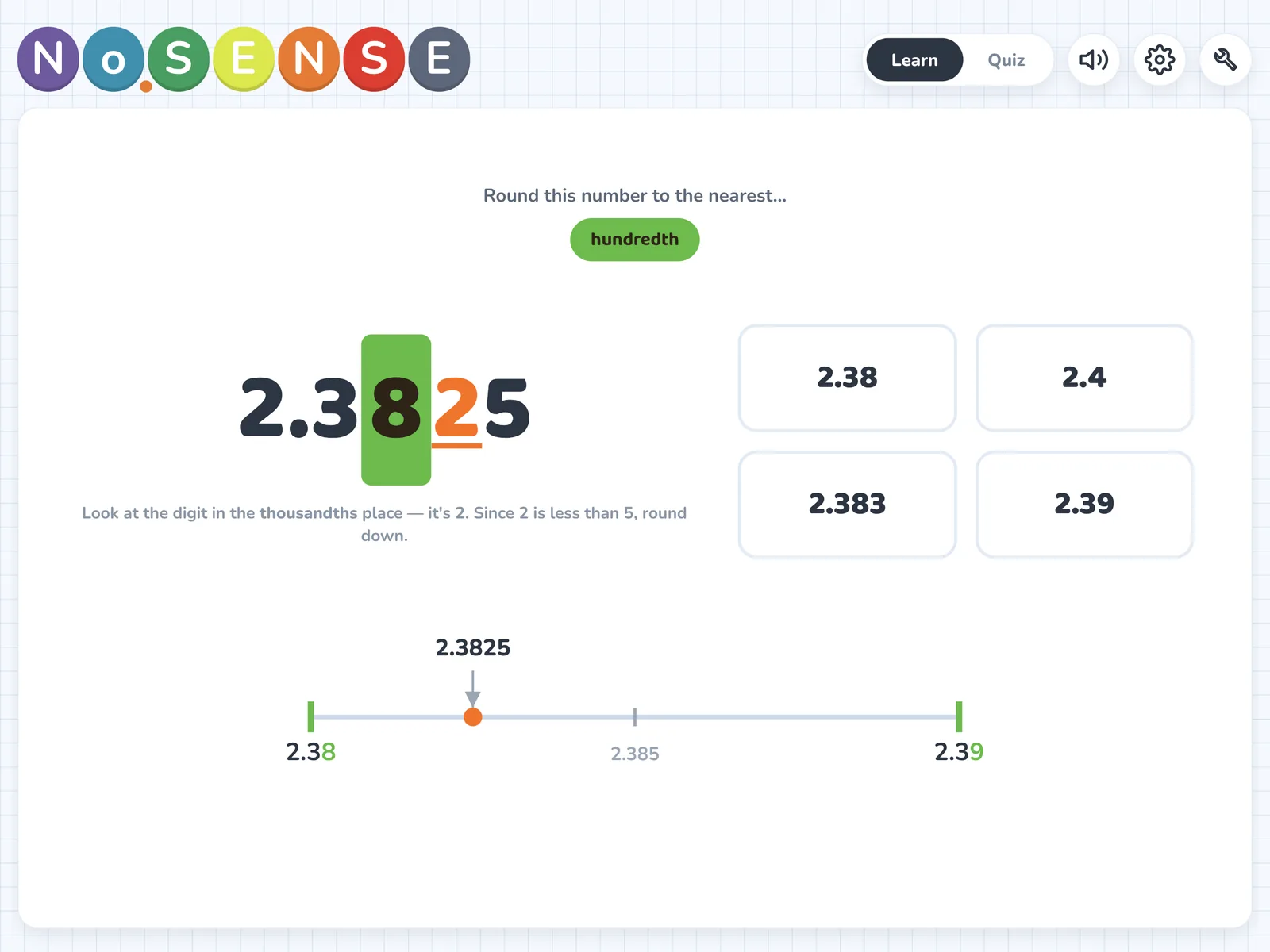
See the deciding digit highlighted and the number on a number line between its two neighbors. Choose which places to practice.
Open Build-a-Number, Model It: Operations, or Round It! from the menu, and put your iPad on a projector or classroom screen.
In Learn mode, tap Next step and watch each move happen: discs combine, trade, and regroup. Talk through why.
Switch to Quiz mode and let a student build the number, solve the problem, or choose the rounded value. Quiz progress is saved on the device.
You run No.Sense from your iPad and show it on a projector or classroom display. Then the same screen becomes practice: a student builds, solves, or rounds while the class watches or works alongside.
There are no accounts, no logins, and nothing for students to download, so there is no student data to manage. It works offline, even when the classroom Wi-Fi doesn’t.
Every disc is labeled with its value: 1, 10, 100, 1,000, and the decimal places 0.1, 0.01, and 0.001. Students see that ten tens really do trade for one hundred, because ten discs slide into one.
The digit tells how many. The place tells how much. Discs make that difference something you can see and move.
“No.” is short for number, so No.Sense reads as number sense: knowing what numbers mean and how they behave. It also reads as no sense, which is exactly what students say when a math idea won’t click.
No.Sense is built to be the place where that sentence stops being the end of the thinking and becomes the start of it.
Use Free Build to make the date, a page number, or a number from your lesson, then talk about what each digit is worth.
In Model It, step through a regrouping problem and ask students to predict each trade before you tap Next step.
Type a problem from your textbook or worksheet into Model It and work it on the big screen.
Use Round It! to show why the deciding digit decides, and where the number sits between its two neighbors.
Switch any tool to Quiz mode for a fast independent check. Quiz progress is saved on the device.
Hand the iPad to one student and let the group coach. There are no accounts and no setup.
Have a question, hit a bug, or want a feature added? Send a note. I read and answer every email myself.
Email SupportShow it on a projector or classroom screen and use Learn mode to model an idea one step at a time. Then switch to Quiz mode and hand the iPad to a student to try it.
Learn mode steps through the idea so you can explain it. Quiz mode asks students to do it themselves: build a number, solve a problem, or choose the rounded value.
Yes. In Model It: Operations, tap Custom problem and type your own numbers with the on-screen keypad, so you can model a problem straight from your textbook or worksheet.
No. You run No.Sense from your iPad and show it on a projector or classroom display. There are no accounts, logins, or downloads for students.
No. No.Sense runs entirely on your device, so it works fine on a classroom iPad with no Wi-Fi.
No. There are no accounts, ads, analytics, or tracking, and nothing leaves your device. Settings and quiz progress stay on the iPad. Read the full privacy policy.
Place value from ten thousands down to thousandths, addition, subtraction, multiplication, and division modeled with discs, and rounding decimals to a place you choose. It is built for upper-elementary and middle-school math.
No.Sense needs iPadOS 16.6 or later.
No.Sense is designed for iPad, and it also runs on Macs with Apple silicon.