

Formatio.Forge
Review ANYTHING

Turn any worksheet into a whole-class review GAME

Use the worksheet you already have. Open the app, put it on the screen, and play in teams. Review ANYTHING is a spinner-based classroom review game for any subject.

Works on iPhone, iPad, and Mac with Apple silicon. Android version coming soon.

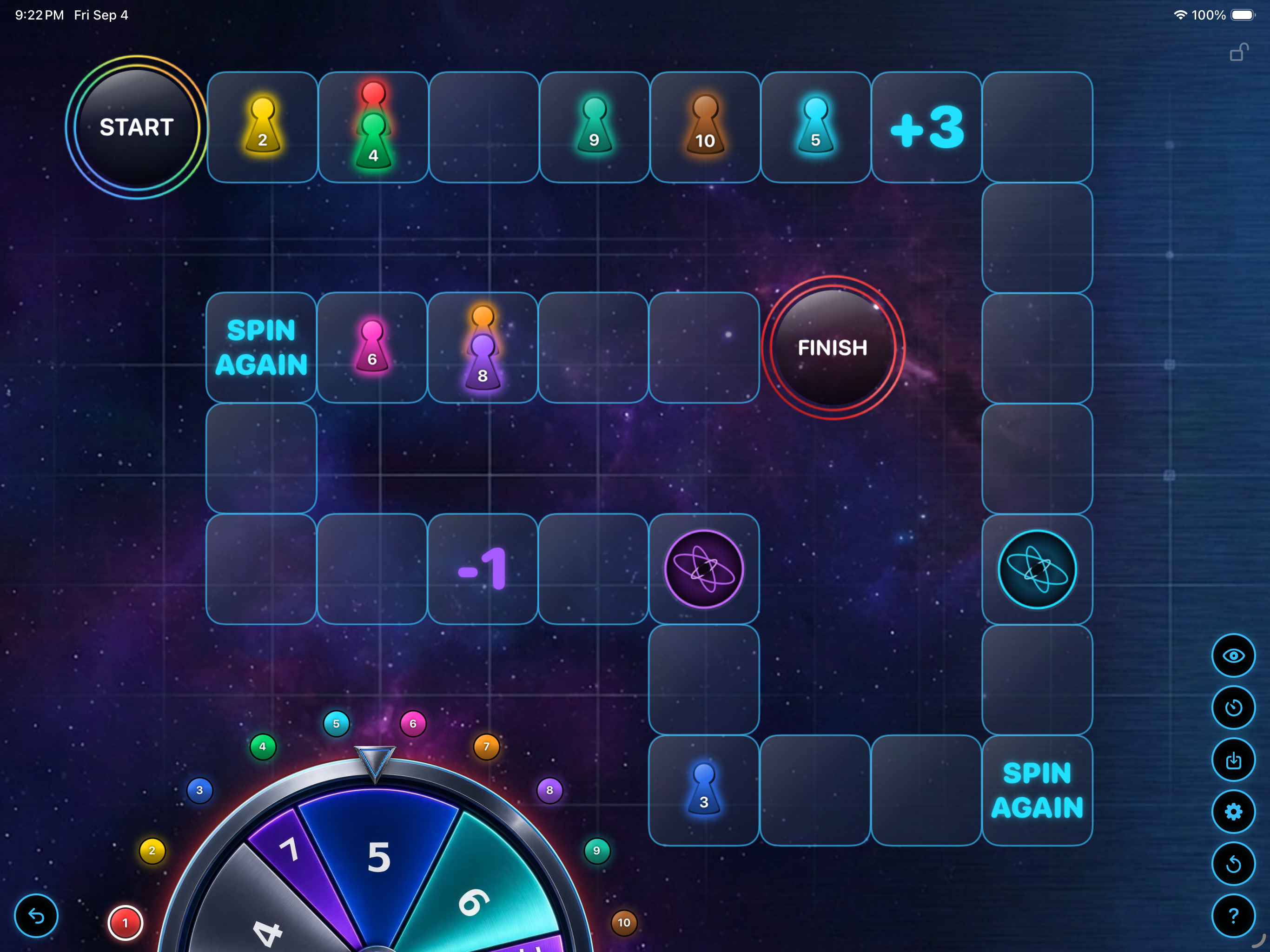
Review ANYTHING classroom review board game running on an iPad
✎

Any subject, no prep

Vocabulary, long division, history dates, Latin — bring what you're already teaching and play.

◆

Solo or teams

One pawn per student, or share a piece as a team. Built for classes of any size.

✦

Warp portals & chance tiles

The board keeps shuffling, so answering right matters more than being fastest.

How it works in three steps

  1. Pick the worksheet you already have

    A worksheet, study guide, old quiz, or slide deck. Leave it exactly as it is. You don't type anything into the app.

  2. Set up the board

    Open Review ANYTHING on your iPhone, iPad, or Mac with Apple silicon, add your players or teams, and put the board on the screen.

  3. Ask, answer, spin

    Read a question from your worksheet, let a team answer, then spin and move. Warp portals and chance tiles keep the board changing.

More ways to turn a worksheet into a review game

Play as a whole class on one screen

You run the game from your iPhone, iPad, or Mac with Apple silicon and show it on a TV, projector, or classroom display. Students play as teams or solo, one pawn each, and they don't need devices of their own.

There are no accounts, no logins, and nothing for students to download, so there is no student data to manage. It works offline, even when the classroom Wi-Fi doesn't.

Review games without student devices

  • No student devices needed
  • No accounts, logins, or student data
  • Works fully offline
  • Teams or solo players, any class size
  • Runs on iPhone, iPad, and on Macs with Apple silicon
  • Android version coming soon

A no-prep, whole-class review game for any subject

It started with a whiteboard, a hand-drawn board game, and magnets for pawns — a teacher's answer to getting students genuinely excited about the practice they usually dodge.

A spinner and a race to the finish did what worksheets alone never could. So the game kept growing: warp portals, chance tiles, and a board that never plays out the same way twice.

  • Save a separate game for every class or period
  • Import and export saves to move between devices
  • Automatic or manual pawn movement
  • Scores live right on each piece
  • Lock the board instantly if things get chaotic
  • Undo an accidental spin in one tap

How it compares to Kahoot-style tools

Kahoot, Blooket, and similar tools work well when students have devices and you have a quiz to build or pick. Review ANYTHING is for the other situation: you have a worksheet, a screen, and a class that needs to review today. There is nothing to build, no student devices, and no accounts. Gamify any review instantly!

Read the full comparison

How this classroom review game started

A whiteboard, some magnets, and an idea after school one day. Here's the story behind Review ANYTHING.

Review ANYTHING app icon

Questions and support

Have a question, hit a bug, or want a feature added? Send a note — I read and answer every email myself.

Email Support
How do I turn a worksheet into a game?

Keep the worksheet as it is. Open Review ANYTHING, add your players or teams, and read questions from the worksheet as you play. The app is the board, spinner, and scorekeeper, so there is nothing to type in or import. More ways to do it.

What review games need no prep?

Any game that runs on questions you already have. Four Corners, whiteboard relays, and Review ANYTHING all work with a worksheet or study guide you already own, with nothing to print, cut, or build. See eight no-prep review games.

Do students need their own devices?

No. You run the game from your own iPhone, iPad, or Mac with Apple silicon and show it on a projector or classroom screen. Students don't need devices, accounts, or logins.

Can I use it on my iPhone, iPad, and Mac?

Yes. Review ANYTHING works on iPhone, iPad, and Macs with Apple silicon. Buy it once and use it on all of them.

Do I need an internet connection to play?

No — the game runs entirely on your device, so it works fine on a classroom iPad with no Wi‑Fi.

Does it come with built-in questions?

No — Review ANYTHING isn't tied to any one subject. Bring whatever worksheet or review set you're already using, and the board handles the rest.

Does Review ANYTHING check answers?

No. You read the question and judge the answer, so the app never needs your questions or answer key. See five ways to let students check their own answers.